
Photo: Rodrigo Rodrigues | WOLF ART / Unsplash. Illustrative image.
Your broker has filed the entries. Your finance team has paid the invoices. At month-end, the next question is whether those records tell the same story.
ACE reports for importers can support that review. A useful ACE entry review connects customs entries to shipment records, broker statements, and the business's own accounts, then assigns someone to resolve the differences.
What ACE reports can help you see
The Automated Commercial Environment is CBP's electronic trade-processing platform. Its portal provides reporting and account-management functions. CBP describes targeted reports as a way to support internal audits, identify recurring errors, and examine entries under review in its ACE usage guide.
Start with the right access
Confirm that the business's portal account, importer information, and user permissions provide the intended report access. Use CBP's current application and account-management guidance. A broker relationship alone should not be treated as proof that an employee can see every relevant record.
For the basic system and account concepts, see the existing ACE filing and registration guide.
Keep reporting separate from filing
CBP distinguishes the portal from Electronic Data Interchange, or EDI. Its capabilities table places entry and entry-summary filing in the EDI channel, while reports are available through the portal. Access to reports does not turn a portal user into an entry filer.
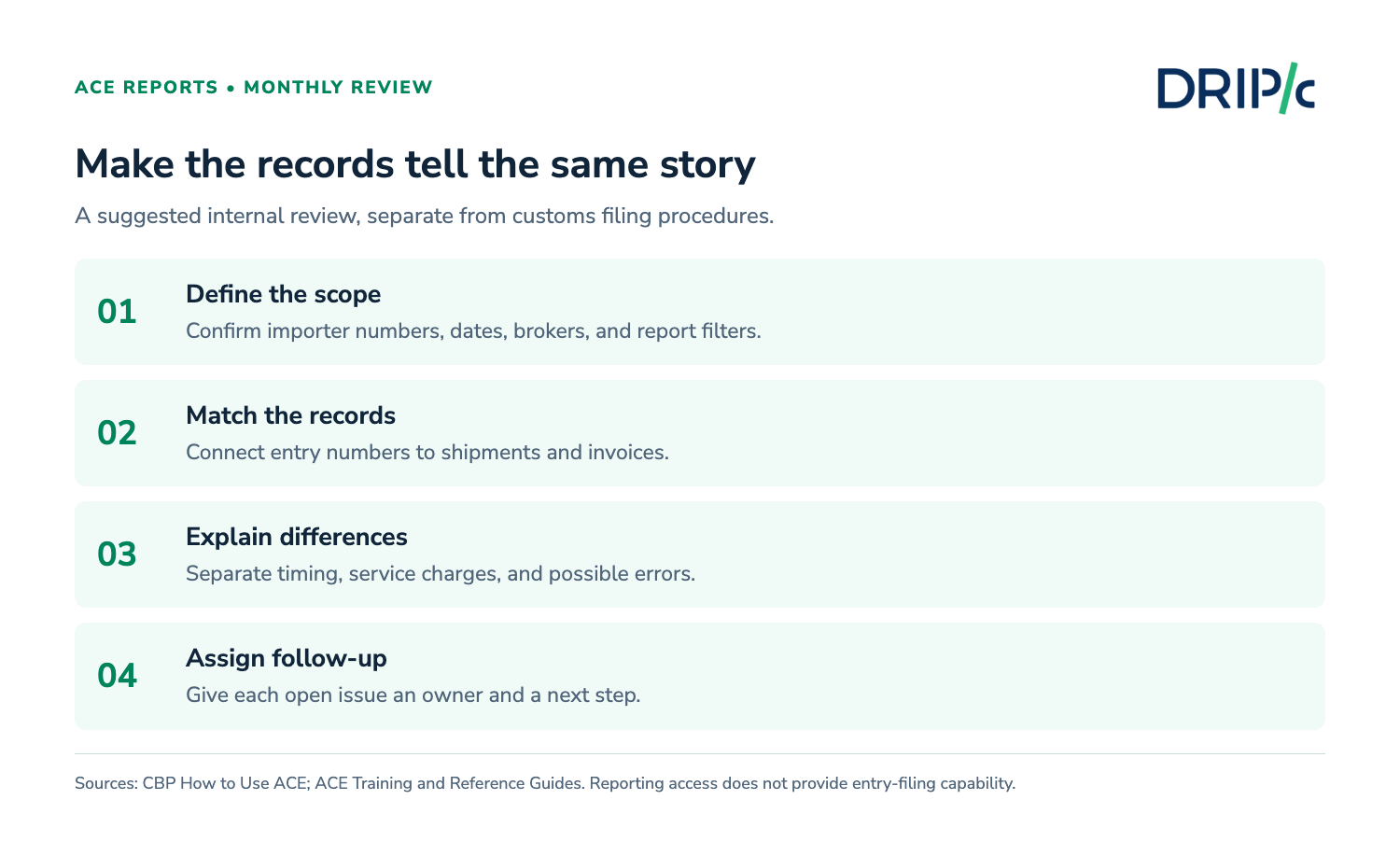
Define a review you can repeat
Choose the date field deliberately
Decide whether the review covers entry dates, entry-summary dates, payment activity, or another defined period. Label the report and save its filters. Two exports called “September imports” can contain different records if they use different date fields.
Use the same scope when requesting supporting records from your customs broker.
Check coverage before comparing totals
List the importer numbers, brokers, and entities expected in the review. Confirm that the report includes the intended population. Ask about missing records before concluding that a shipment was never filed.
CBP's training library covers running standard reports, modifying filters, and saving or exporting results. Follow its current instructions for the interface.
By the numbers
Two access channels: CBP identifies the ACE Portal and EDI as distinct ways to access ACE, with different capabilities.
Five years generally: 19 CFR 163.4 sets a general retention period for entry-related records, with exceptions. Downloading a report does not replace the wider recordkeeping obligation.
Compare three sets of records
Match entries to the shipment file
Connect each entry number to the relevant shipment, product information, commercial invoice, and transport document. Check material differences in values, quantities, classification, and origin with the broker.
An entry summary can contain several lines. Establish whether the report is at entry or line level before counting shipments or adding repeated totals.
Separate customs charges from service charges
A broker invoice may include duties, fees, freight, disbursements, and brokerage. Compare each category with the appropriate record. A difference between the invoice total and a customs-duty total may simply reflect different components.

For a hypothetical example, a $12,000 broker invoice might contain $10,000 in duties and $2,000 in other charges. The $2,000 difference is a question to reconcile against the invoice breakdown. It does not establish an entry error by itself.
Connect the review to landed cost
Compare customs amounts with the assumptions used in the landed-cost calculation. Separate timing differences from permanent cost differences. If an estimate changes, record the reason so purchasing does not keep using an outdated assumption.
Turn exceptions into assigned work
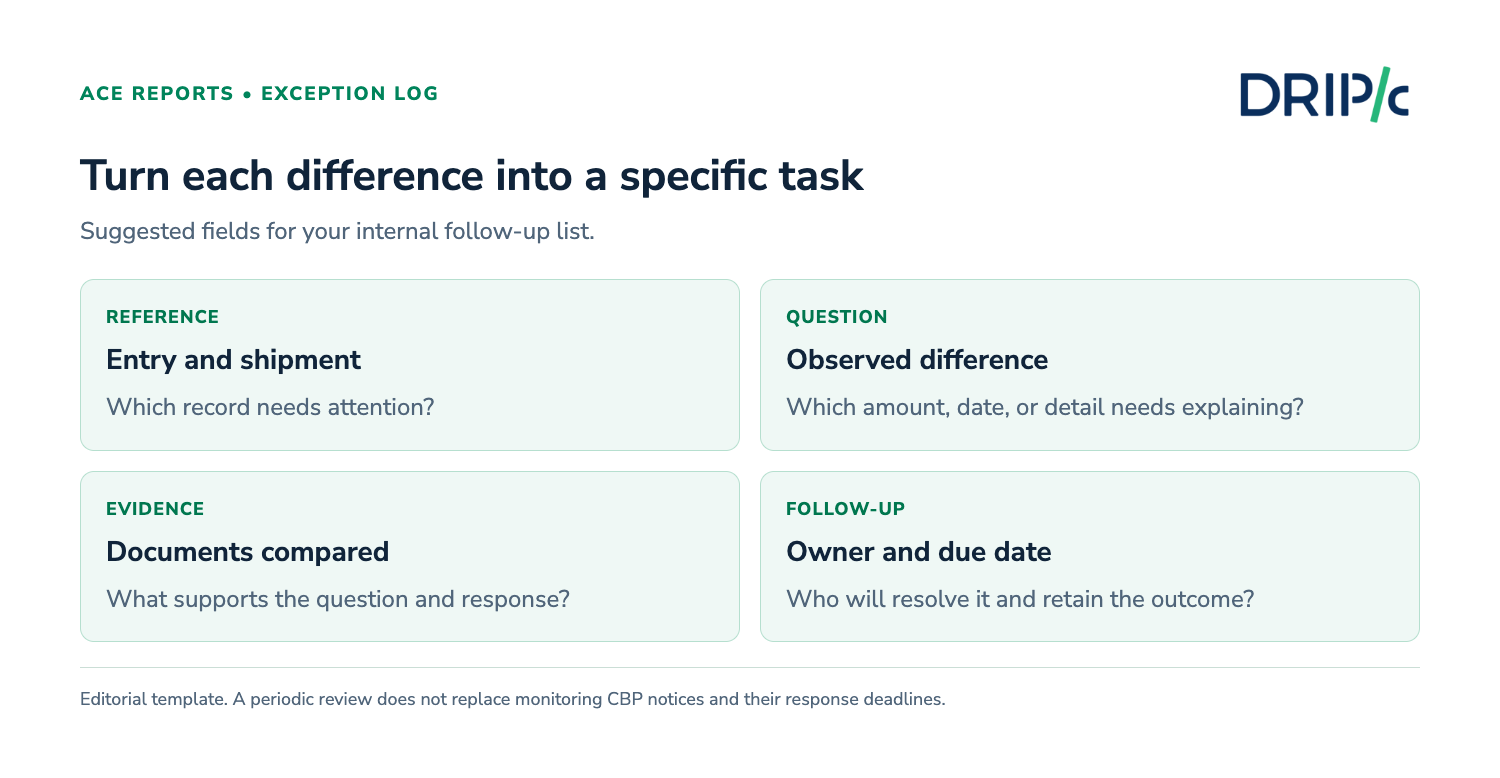
Use a short exception log
Record the entry number, question, supporting evidence, owner, next step, and follow-up date. Useful categories include missing documents, unexplained amounts, possible classification issues, and unresolved CBP requests.
CBP's portal guidance also describes functions for receiving and responding to certain forms. Your team should follow the specific notice and deadline; a monthly review does not replace time-sensitive monitoring.
Ask the broker to determine the correction route
An internal spreadsheet cannot amend an entry. If a discrepancy may require a correction, give the broker the evidence and confirm the appropriate procedure and deadline. Record what was filed and retain the outcome.
The customs clearance guide explains the broader process around these records.
Use the findings in the next cash forecast
Compare expected customs payments with actual timing and amounts. Keep prospective refunds separate from available cash until their status and timing are sufficiently established. Review recurring differences when updating purchase budgets.
This is a practical extension of cash-flow forecasting: use verified transaction information to improve the next estimate, while retaining the assumptions behind it.
Where Drip Capital fits into the cash plan
An import review can reveal when vendor payments and other operating costs cluster together. Drip Capital's Line of Credit can support permitted business expenses, subject to underwriting and facility terms. Each draw is repaid over six monthly installments.
Discuss the intended use and repayment dates before borrowing. Financing does not validate an entry or resolve a customs discrepancy.
Frequently asked questions
Can I file an import entry through the ACE Portal?
CBP's capabilities table lists entry and entry-summary filing through EDI. The portal provides other functions, including reports and account management. Confirm the appropriate channel for the activity you need.
Why does my broker invoice differ from the ACE amount?
The two records may cover different charges, dates, or levels of detail. Reconcile the invoice breakdown and report filters before treating the difference as an error.
Does an ACE report replace shipment records?
No. Keep the supporting records required for the transaction and applicable retention rules. A report is useful for review, but it does not contain every underlying document.
Is a monthly review enough for CBP notices?
No. A notice can have its own response deadline. Assign ongoing responsibility for monitoring and handling requests alongside the periodic review.